Find your position
Set your iPhone on a stable support. Follow the large framing cue instead of trying to judge a tiny preview from across the room.
Pose-guided recording · iPhone · iOS 17+
Filming yourself shouldn't mean racing back from your phone. DanceTake checks your body position, guides you with a large red, yellow, or green circle, and waits for usable framing and a steady hold before it starts the countdown.
Available on the App Store · Free with an optional one-time Pro purchase
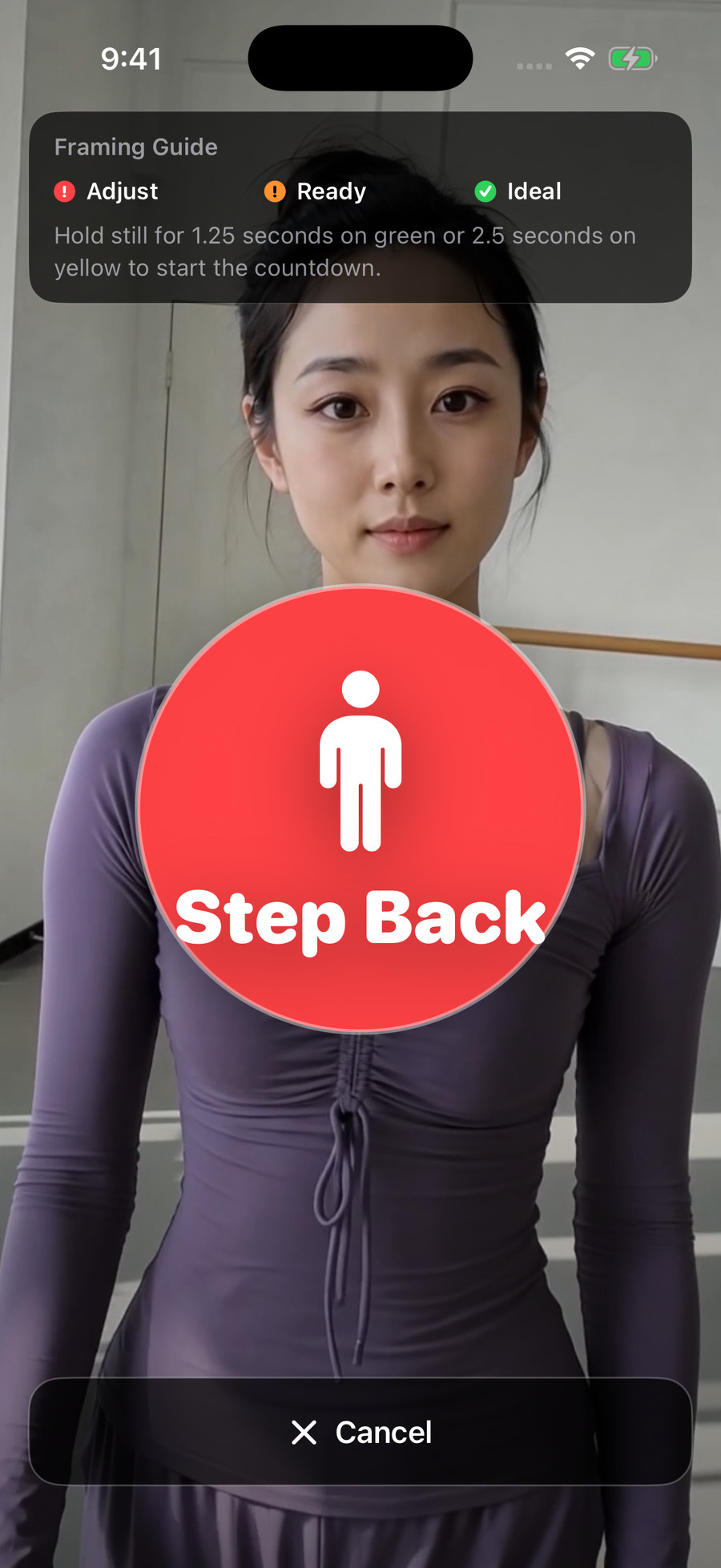
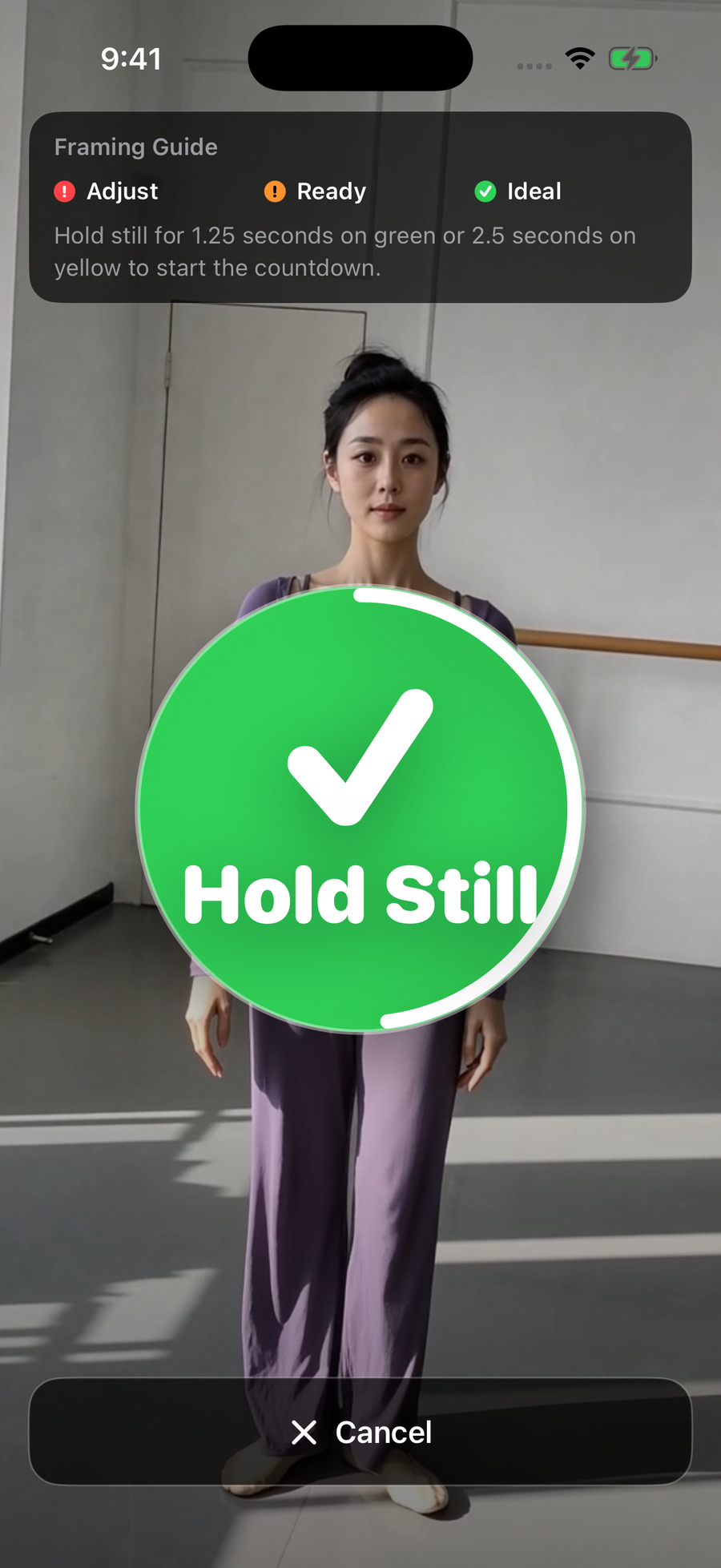
Checks key body points and your position in the frame.
Hold steady in usable framing to begin the countdown.
Finish with the source track, without a separate music-editing step.
Free recording; one purchase for watermark-free exports.
See the framing guide
Current app screens with demonstration footage. Pose detection provides setup guidance; it does not score your dancing.
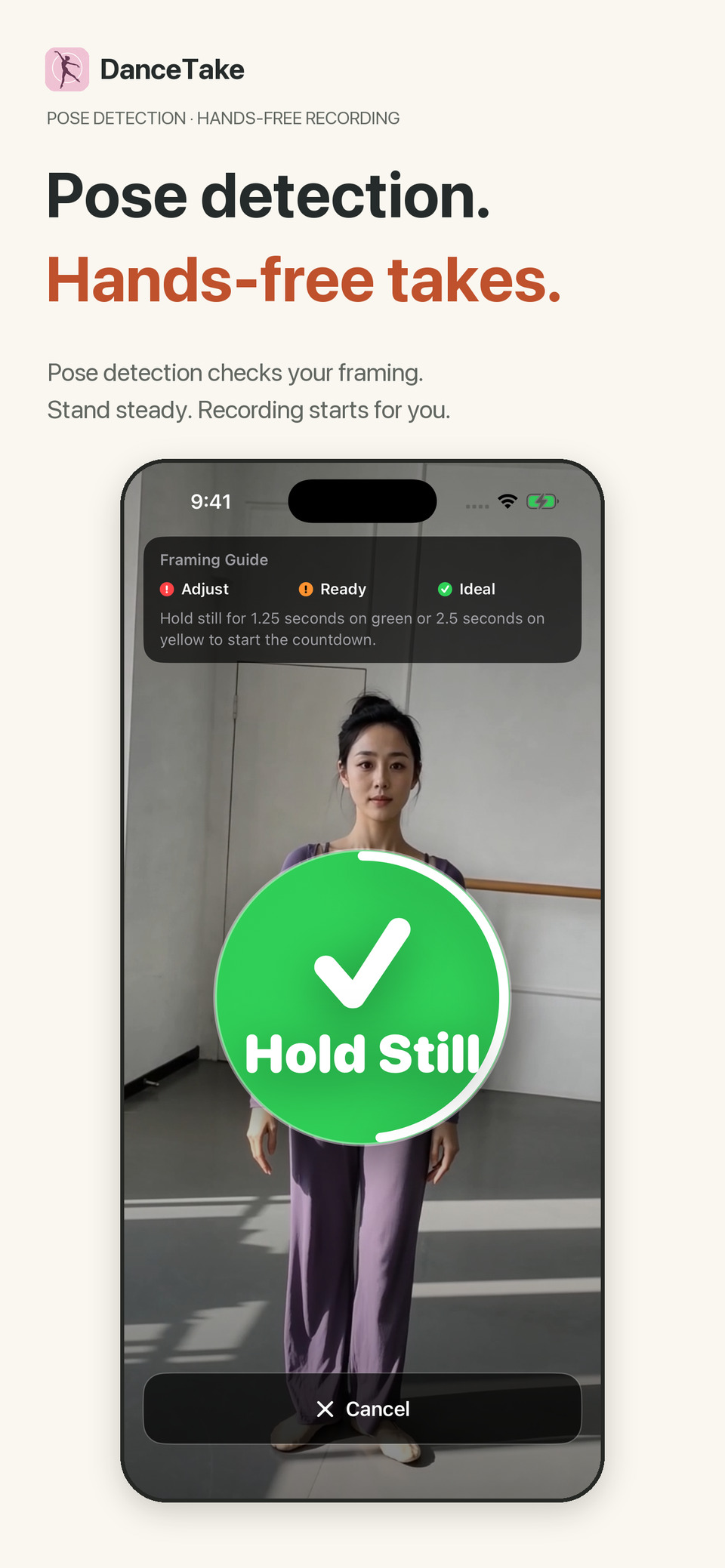
A large framing cue helps you adjust before recording.
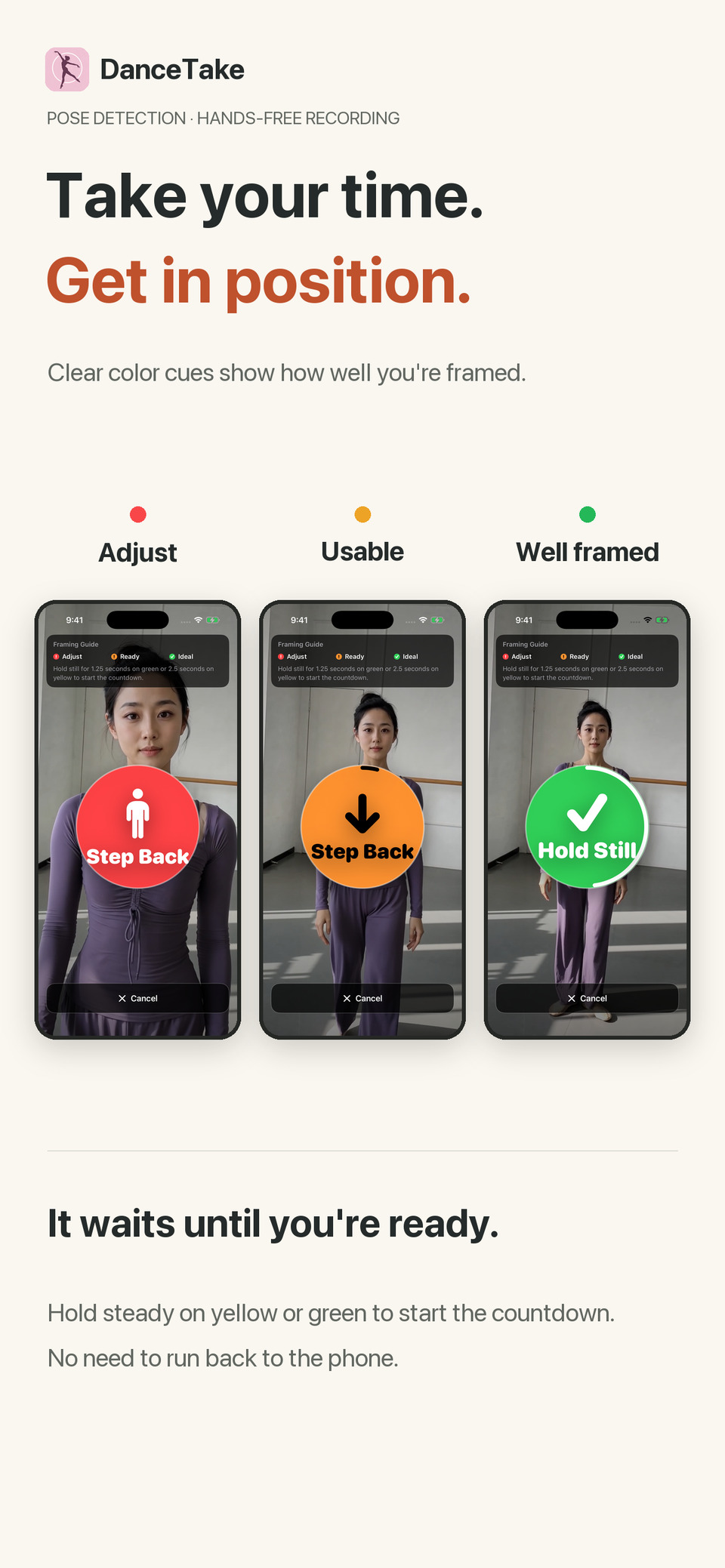
Hold steady in yellow or green to begin the countdown.
Made for filming your own practice
A fixed timer can't tell whether you've reached your spot. DanceTake uses the camera view to help you get ready first.
Set your iPhone on a stable support. Follow the large framing cue instead of trying to judge a tiny preview from across the room.
Play your own music or reference video while recording. The finished take uses that source's original audio.
Takes from the same source stay together. Review them, record another version, and remove the ones you don't need.
How it works
A reference is optional. You can also record with the sound around you, or continue without sound if microphone access is unavailable.
Pick a video from Photos or an audio/video file from Files. DanceTake does not include a music or tutorial library.
Red means adjust. Yellow means usable; green means a better position. Hold steady to start the 3-2-1 countdown. Significant movement during the countdown returns to framing.
Stop recording, preview or scrub through the take, mirror it, or trim the end. Save to Photos or share with the original source audio.
Free recording. Optional watermark-free exports.
Body-pose detection, directional cues, automatic countdown, and front-camera recording. Default: 720p at 30 fps, with other options when supported by your iPhone.
Original-audio syncing, playback, end trimming, mirroring, and grouped takes with swipe-to-delete and batch deletion.
Free exports show a watermark during the final 5 seconds, or throughout shorter clips. A one-time Pro purchase permanently unlocks watermark-free saving and sharing. No subscription.
On your iPhone
Pose detection, audio syncing, and video processing happen on your device. No DanceTake account, ads, behavioral analytics, or cross-app tracking. Apple handles purchases and purchase restoration through StoreKit.
Privacy policy →Before you record
The countdown doesn't start as soon as you tap Start. DanceTake first checks body keypoints and framing, then waits for you to hold steady. Yellow can start after about 2.5 seconds; green after about 1.25 seconds.
No. Framing guidance helps you set up before recording. It isn't automatic camera tracking or dance-technique scoring. Leave room for movement and use good lighting.
Yes. Leave the reference empty. Allow Microphone access for room sound, or continue without sound if that permission is unavailable.
No. Original-audio syncing uses the audio already in your selected file. Any spoken instructions or counting in that file remain.
Only watermark-free exports. Framing, recording, source-audio syncing, and take management are free. Pro is a one-time purchase, with Restore Purchase available in the app.
Imported copies and finished takes are stored inside DanceTake. Saving to Photos creates a separate copy. Your system backup or Photos sync settings may apply to those copies.
Download DanceTake and try filming your next practice. Recording is free, with an optional one-time Pro purchase to export without a watermark.